Write your first script
Describe your video and let the AI write a script made for video.
AI Scripting writes scripts made to be spoken on camera or as a voiceover — with a hook, sections and a call to action.
Write a script
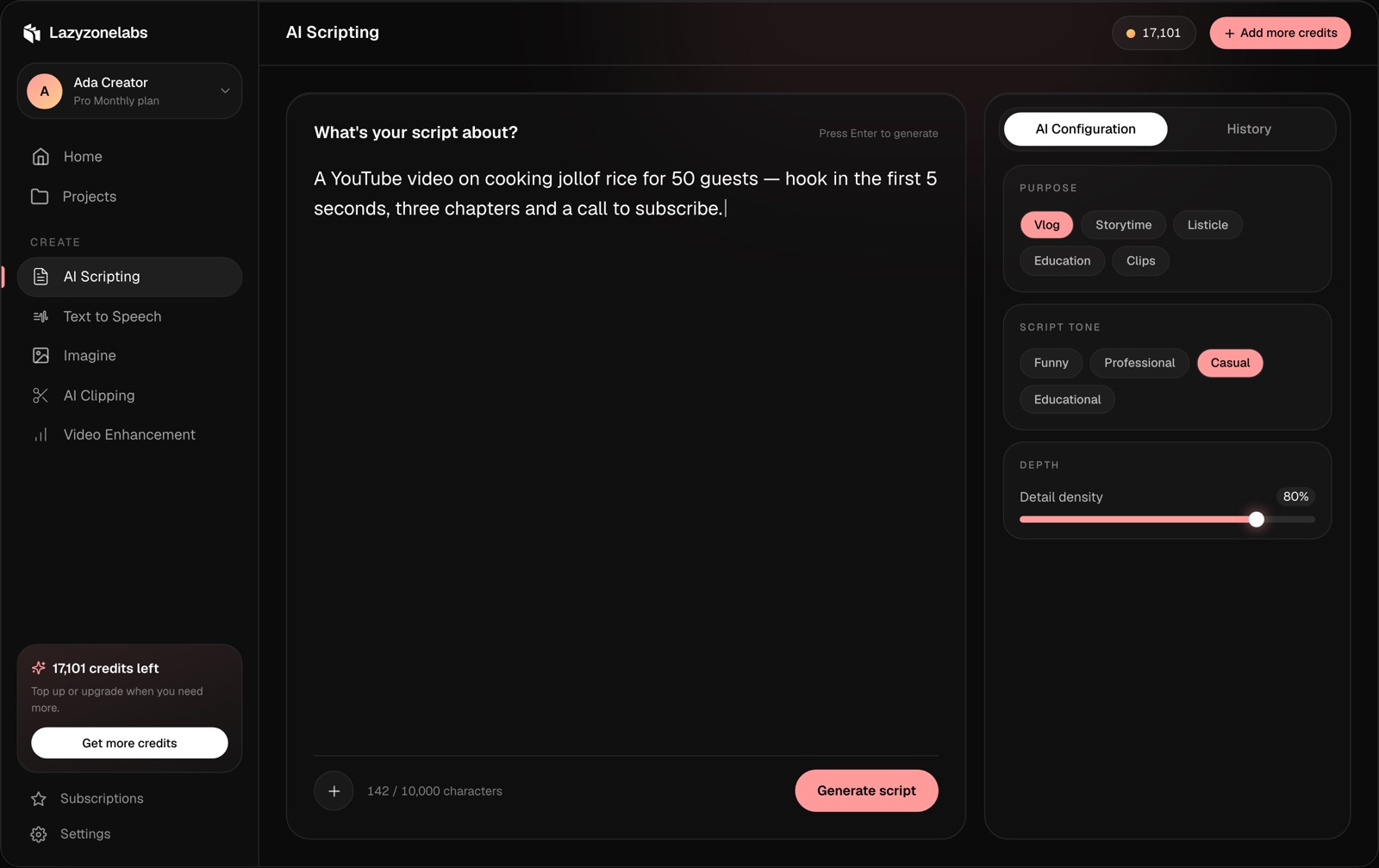
- Open AI Scripting from the sidebar.
- In What’s your script about?, describe your video: the topic, who it’s for and anything it must include.
- Choose your settings in the AI Configuration panel (see below).
- Press Generate script, or press Enter.
Settings
- Purpose — the kind of video: Vlog, Storytime, Listicle, Education or Clips.
- Script tone — Funny, Professional, Casual or Educational.
- Detail density — how much detail goes into each section.
Keep refining
Your script opens as a chat. Ask for changes in plain words, like “make the hook shorter” or “add a chapter on budget options”, and the AI rewrites it.
Find past scripts
Every script is saved. Open the History tab to find and reopen past scripts.
Prompt length
How long a prompt can be depends on your plan. The counter under the prompt shows how many characters you’ve used.