Quickstart
Go from a new account to your first script, voiceover and images.
Lazyzonelabs is an AI studio for video creators. You write a script, turn it into a voiceover, add images for every scene and put them together into a video — without switching apps.
Your first steps
- Create your account. Sign up with your email or Google account, then verify your email address.
- Pick a plan. Every AI tool runs on credits that come with your plan. See Plans and pricing.
- Write a script. Open AI Scripting, describe your video and press Generate script.
- Make a voiceover. Open Text to Speech, paste your script, pick a voice and generate.
- Create images. Open Imagine, describe a scene and generate up to ten images at once.
- Put it together. Start a Project with the video studio to turn all of it into a finished video.
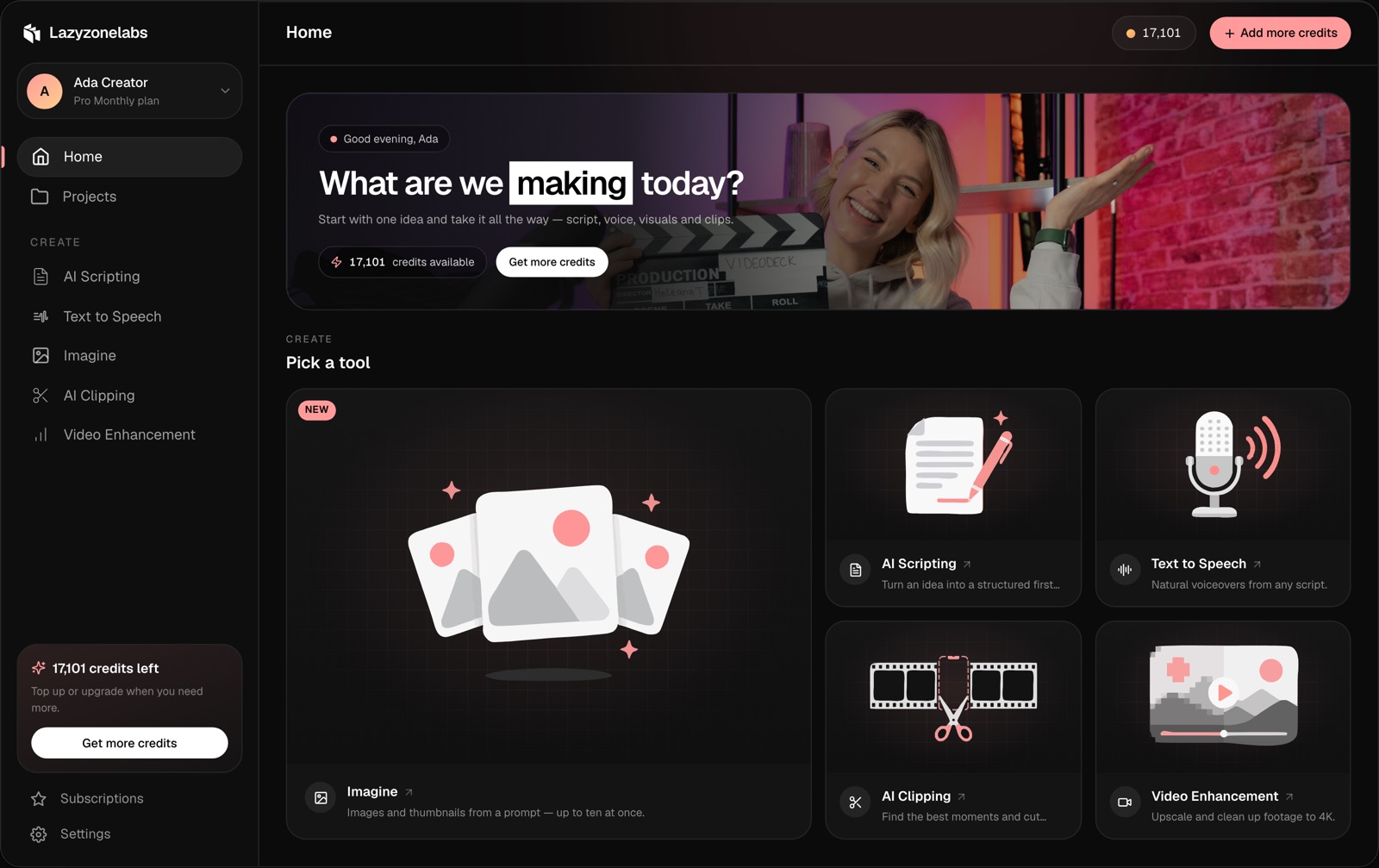
Find your way around
- Home shows your tools, recent work and your credit balance.
- Projects holds your folders and video studio projects.
- Create in the sidebar lists every AI tool.
- Settings is where you manage your profile, plan, appearance, API keys and MCP connections.
Next steps
- Take the Lazyzonelabs Fundamentals course.
- Learn how credits work.