Generate images
Create up to ten images from a single prompt.
Imagine creates images and thumbnails from a text prompt — up to ten at once.
Generate images
- Open Imagine from the sidebar.
- Describe what you want to see in the prompt box.
- Choose your settings in the Configuration panel.
- Check the credit cost on the generate button, then press it.
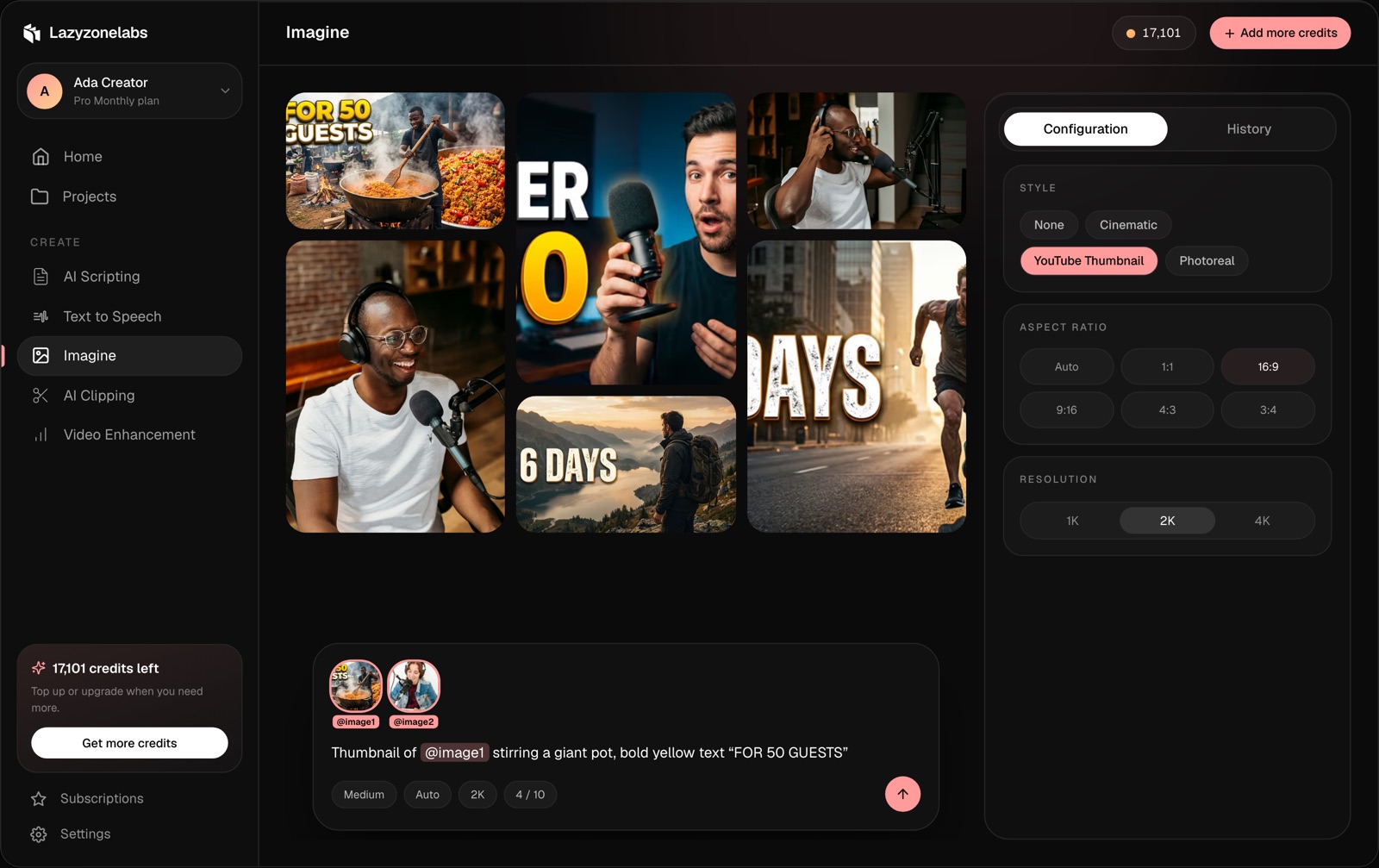
Settings
- Style — None, Cinematic, YouTube thumbnail or Photorealistic.
- Aspect ratio — Auto, 1:1, 16:9, 9:16, 4:3 or 3:4. Use 9:16 for Shorts, Reels and TikTok, 16:9 for YouTube.
- Resolution — 1K, 2K or 4K.
- Quality — higher quality takes longer and costs more credits.
- Batch size — how many images to make at once, up to ten.
Your images
Finished images appear in the gallery and stay in your History. Open one to view it full size or download it.
Failed images
If an image fails to generate, its credits are refunded.