Edit and export your video
Use the timeline, captions and text, then export in 1080p.
The editor is the last step of a video studio project. Your voiceover, images and captions are already on the timeline.
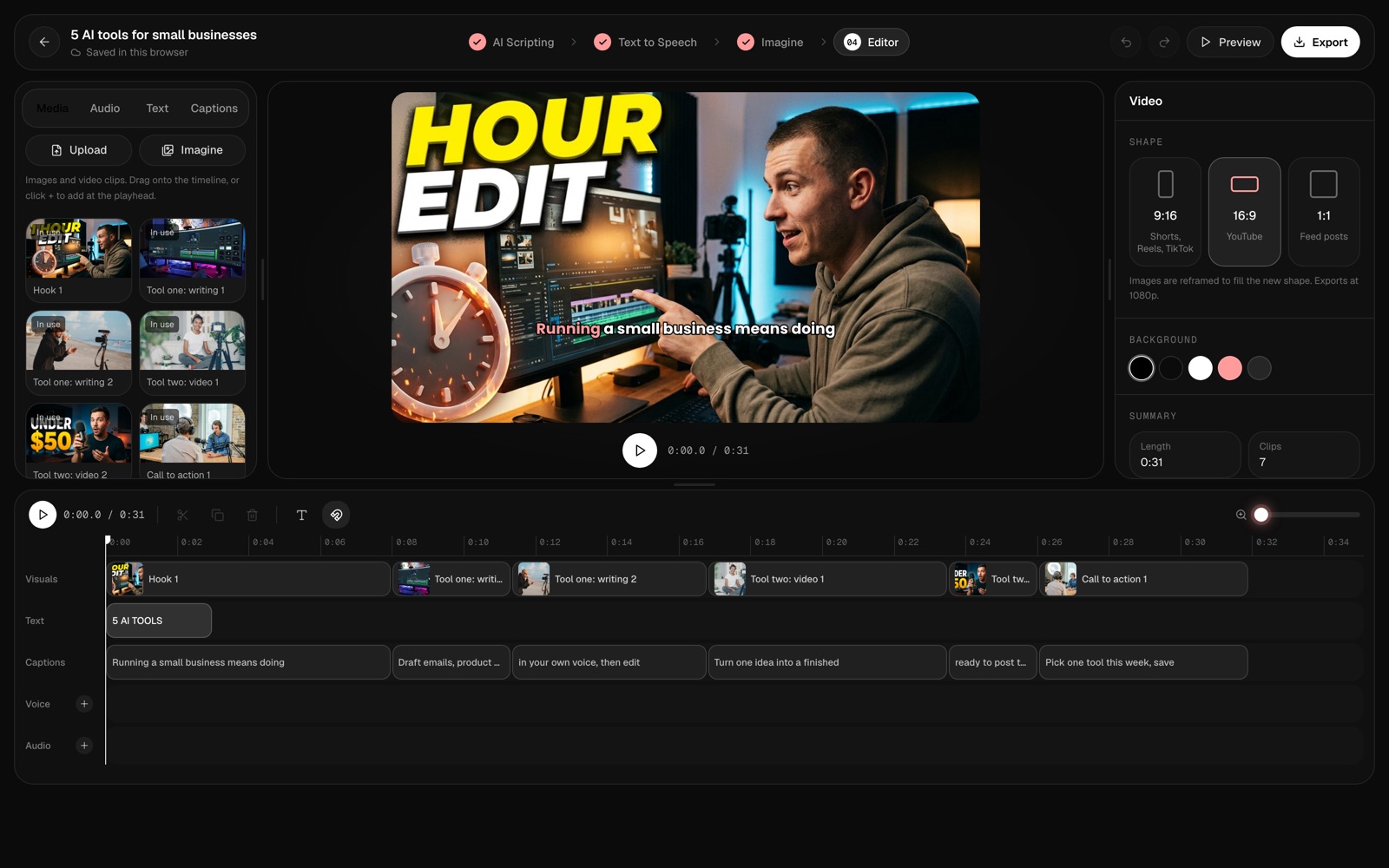
Edit
- Timeline — drag clips to change their order and timing.
- Media — add images and clips from your library, or upload your own.
- Text and captions — add titles, and show or hide captions.
- Shape — switch between 9:16, 16:9 and 1:1. Images are reframed to fill the new shape.
Press Preview to watch the whole video.
Export
- Press Export.
- Wait while the video renders in your browser — keep the tab open.
- Download the finished file.
Videos export at 1080p. Chrome, Edge and Safari export MP4; Firefox exports WebM.